The private bridge between your devices
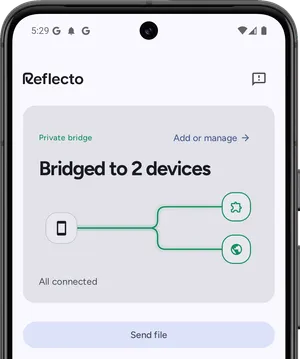
Notifications, clipboard and files move between your Android phone and Chrome, encrypted on your device and decrypted only on your other one. The server never sees plaintext.
No account. Pair with a six-digit code. Open the web app
One bridge, four things it carries
Everything rides the same connection between devices you already own, encrypted end to end — except when an AI agent is the sender, because an agent holds no keys.
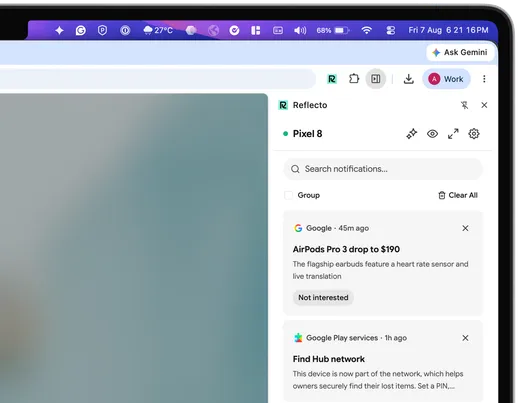
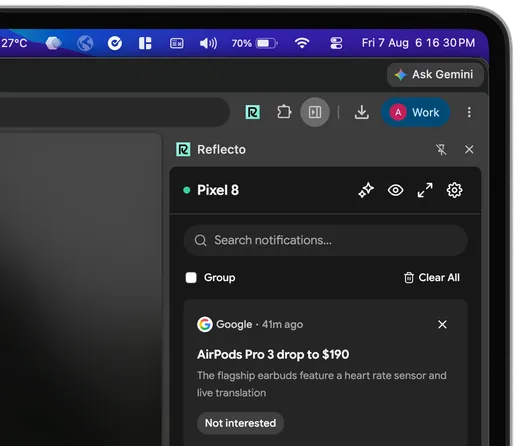
Your phone's notifications, in Chrome
Every alert, call and message appears the moment it arrives, in a panel you can ignore until you need it. Reply to texts and dismiss alerts without touching your phone.
Copy here, paste there
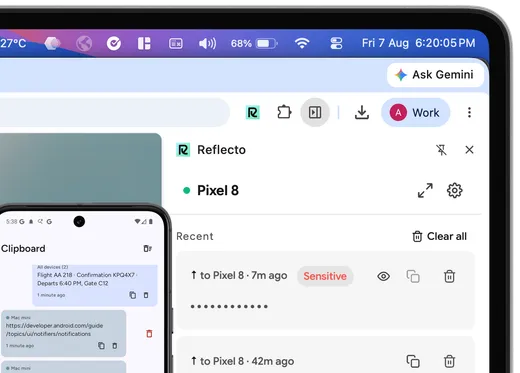
A clipboard that follows you. Clips move both ways between phone and computer, encrypted, in a timeline you can pin from.
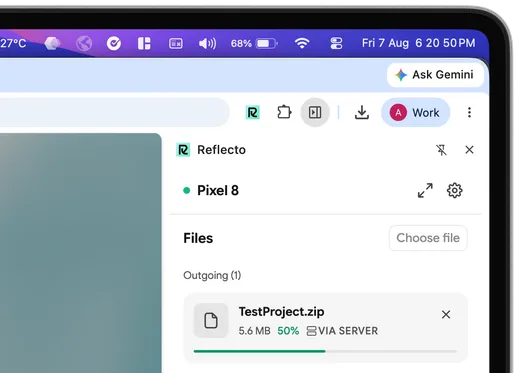
Send files device to device
Encrypted per chunk before it leaves your device, and resumable if the connection drops. Direct between your devices when they can reach each other, relayed as ciphertext when they cannot.
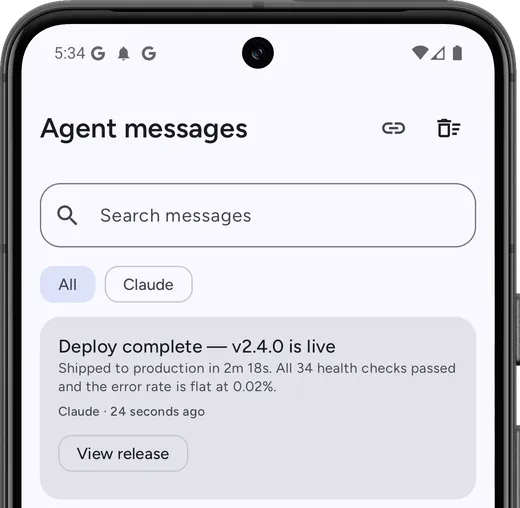
Your AI agents can reach you
Claude or ChatGPT pings your phone when a job finishes: a deploy, a brief, a PR review. Your assistant holds no keys, so these are the one path our server composes rather than relays sealed.
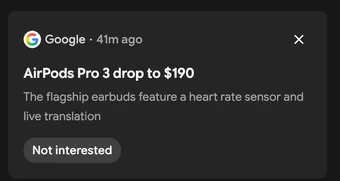
The server never sees your content
Keys are generated on your devices and never leave them. Every notification, clip and file chunk is encrypted before it leaves your phone and decrypted only in your browser. The relay routes sealed envelopes it physically cannot open — X25519 key exchange with XSalsa20-Poly1305, via libsodium and TweetNaCl, and a safety number you can compare in person to prove nobody sat in the middle.
Don't take our word for it: read the protocol and wire format, or what it doesn't protect against.
AVUjrYSeLC4UMUiyfanyvkDo4KzGn1v32erjTAL9elxUdyHoUwR96K0N7GQR5G9dxDPsfTHrq96Z2BWH92jX8yHwH40pSPBpcyDi5QPmW1Oi6a3qJ2ZcVPgKglhpscL1e/L1GwIy1irvyUNJqufiPJCqGAh9no9wknxiDmSh+ZyjRdoVR0PDFbmgu10OXBXhPgpz0DpjSqaUpVFCidpQFUF695Xfb4fq68madcrNdiVXgc+hNNmt63Kv0oCwT0qLoPCc/zcZZg==
The Pushbullet alternative that's actually maintained
Pushbullet's Chrome extension is Manifest V2, and Chrome disabled those for everyone in July 2025. Phone Link needs a Windows PC. KDE Connect pairs over your local network. Reflecto works anywhere Chrome runs, with end-to-end encryption on by default.
| Feature | Reflecto | Pushbullet | Phone Link | KDE Connect |
|---|---|---|---|---|
| End-to-end encryption | On by default, per-device keys | Optional, off by default — one shared password typed into every device; covers mirroring, clipboard and SMS only | Not claimed — no published end-to-end encryption statement | Yes, direct device-to-device |
| Desktop platforms | Anywhere Chrome runs | Windows only — no macOS or Linux app | Windows PC only | macOS, Windows, Linux |
| Free tier limits | No message quota | 100 messages/month; 25 MB file transfers | Free | Free |
| Chrome extension | Manifest V3 | Manifest V2 — disabled by Chrome since July 2025 | None | Plasma Integration (needs Plasma desktop) |
| AI agent integration | Claude, ChatGPT, MCP | No official MCP server | No public agent/MCP API (Copilot's phone connection is first-party only) | None official |
| Active development | Shipping continuously | Extension 2023 · blog 2022 · API docs 2020 | Yes | Active (community) |
Up and running in under a minute
-
 1
1Add the Chrome extension
From the Chrome Web Store. No desktop app, no background process.
-
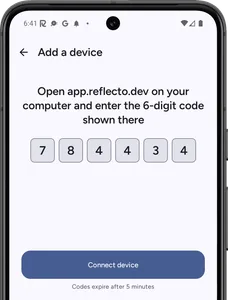 2
2Install on your phone
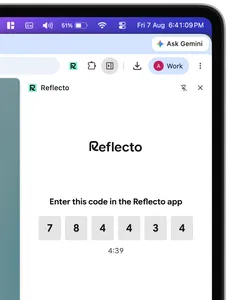
From Google Play, then link with one six-digit code. Keys are generated on-device during pairing.
-
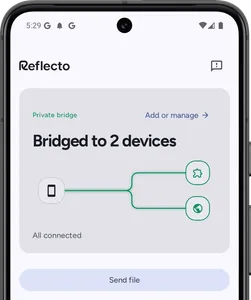 3
3The bridge is live
Notifications appear, clips follow you, files land on the other device. Your phone stays in your pocket.
Built for builders
Wire notifications into your own tools with the public API, script it from the CLI, or hand the bridge to your agents over MCP. What your own devices send stays end-to-end encrypted; anything sent for you by the API or an agent is composed on our server, because a caller holding no keys cannot encrypt it. That difference is documented, not buried.
Worked example: let your AI assistant ask you a question and wait for the tap, instead of stalling until you come back.
Read the API docscurl -X POST https://api.reflecto.dev/v1/send \
-H "Authorization: Bearer rfk_live_..." \
-H "Content-Type: application/json" \
-d '{"message": "Backup finished"}'
curl -X POST https://api.reflecto.dev/v1/send \
-H "Authorization: Bearer rfk_live_..." \
-H "Content-Type: application/json" \
-d '{
"message": "Backup finished in 12m",
"title": "Backup",
"priority": "high",
"url": "https://example.com/backup/123",
"actions": [
{"label": "Acknowledge", "url": "https://example.com/ack/123"}
]
}'Frequently asked questions
Can Reflecto read my notifications, clipboard or files?
No. Everything is encrypted on your device and only decrypted on your other device. Keys never leave your devices, so the server only routes sealed envelopes it cannot open. Even a compromised server would see nothing readable.
Is Reflecto a Pushbullet replacement?
Yes. Reflecto mirrors, dismisses and replies to notifications like Pushbullet did, and adds two-way clipboard sync and device-to-device file transfer, with end-to-end encryption on by default and a Manifest V3 Chrome extension under active development.
Why Chrome and Android only?
We are starting focused to get the experience right. Firefox, Safari and native desktop apps are on the roadmap. iOS does not allow third-party apps to access notifications, so it is not supported.
Does it drain my phone battery?
Reflecto listens for notifications passively and only sends data when something arrives. No background polling, no wake locks.
How do AI agents use Reflecto?
Connect Claude or ChatGPT with a one-time code and your assistant can ping your phone when a job finishes: a deploy, a brief, a PR review. This is the one documented exception to end-to-end encryption: your assistant is not one of your devices and holds no keys, so our server composes the message, holds it in memory only long enough to encrypt it to each of your devices, and never writes it down.
Do I need an account?
No account, no email. Pairing is a six-digit code entered on both devices, and encryption keys are generated on-device during pairing.
Keep your phone in your pocket
Reflecto is live and free today. Add the extension, pair your phone, and the bridge does the rest.